git登录验证和一些小问题汇总
>Github仓库地址Azure DevOps仓库地址http验证保存凭证信息ssh验证生成本地公钥密钥Azure DevOps的配置Github的配置从远程仓库获取内容一些问题fatal: couldn't find remote ref masterfatal: not a git repository (or any of the parent directories): .giterror: src refspec main does not match anyerror: No such remote: 'main'fatal: 'main' does not appear to be a git repository本地新仓库执行git pull后,Aborting错误fatal: refusing to merge unrelated histories 拒绝合并无关的历史记录二进制文件冲突,如何合并?git高级用法
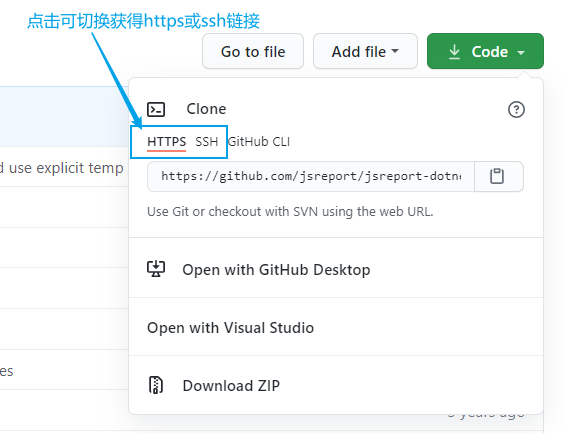
Github仓库地址
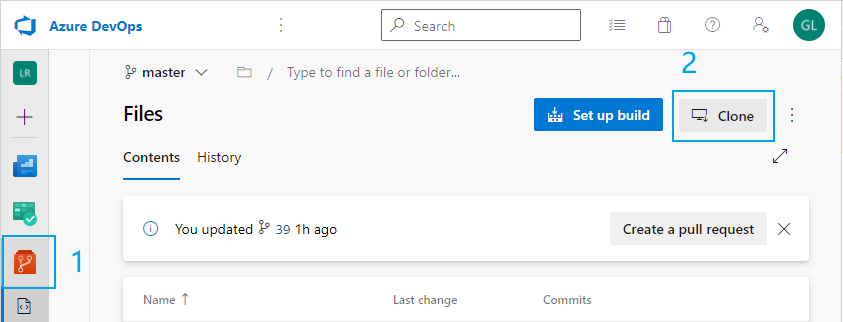
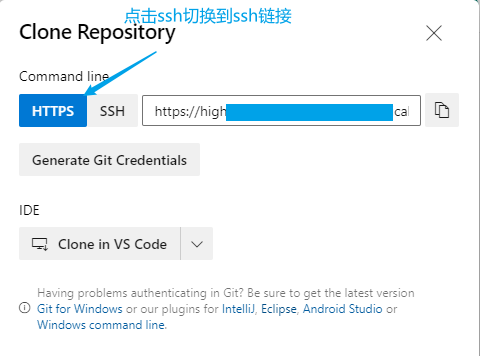
Azure DevOps仓库地址
http验证
这个比较简单,直接加remote,然后pull(DevOps在执行pull或clone操作时需要凭证,github则不用),执行git push 的时候git bash窗口会弹出来一个账号验证框,输入账号密码即可
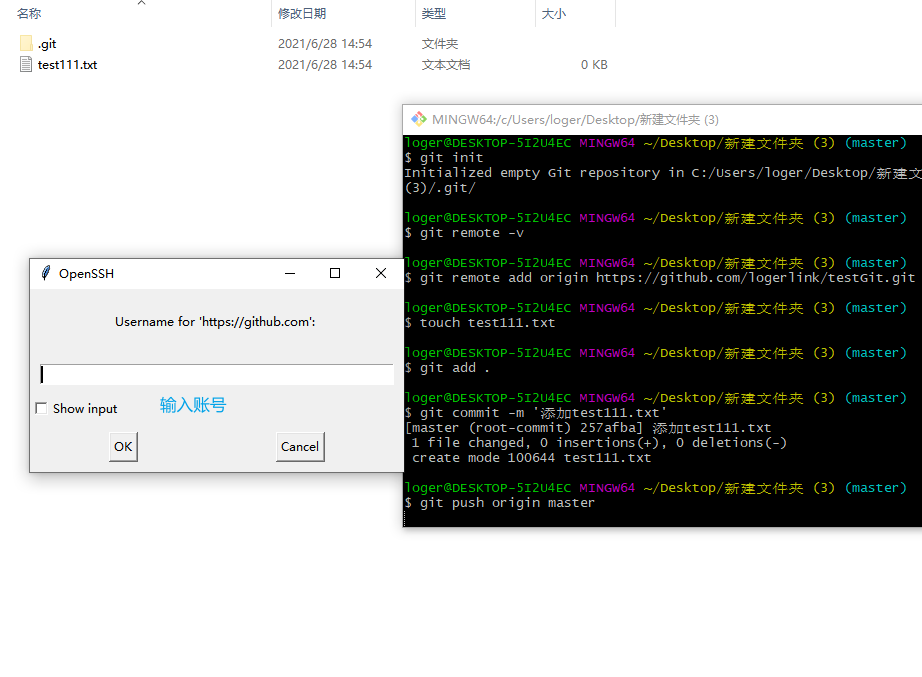
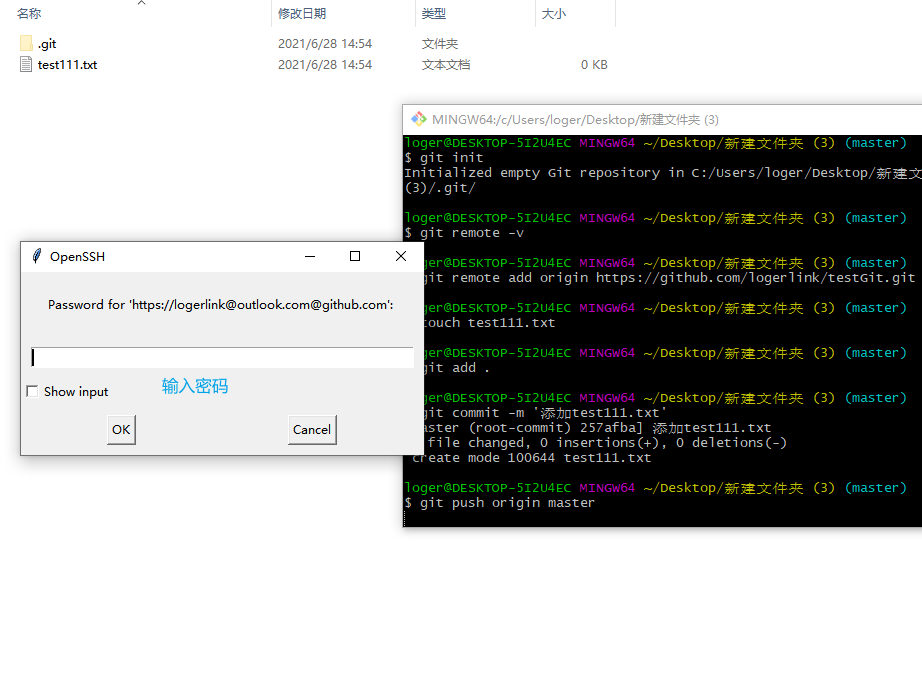
#初始化仓库git init#查看远程仓库配置信息git remote -v#添加远程仓库 origingit remote add origin https://github.com/logerlink/testGit.git#获取远程仓库origin上的分支main DevOps默认主分支为master git pull origin master git pull origin main#本地仓库创建并切换到main分支 DevOps默认主分支为master 忽略该步骤git checkout -b main#添加一个文件touch test222.txt#查看本地仓库的状态,通常会提示那些文件改了,那些文件删除了git status#接受本地分支的所有修改git add .#查看本地仓库的状态git status#提交本次修改,并备注git commit -m '添加test2222.txt'#将本次修改提交到远程仓库 DevOps默认主分支为master git push origin mastergit push origin main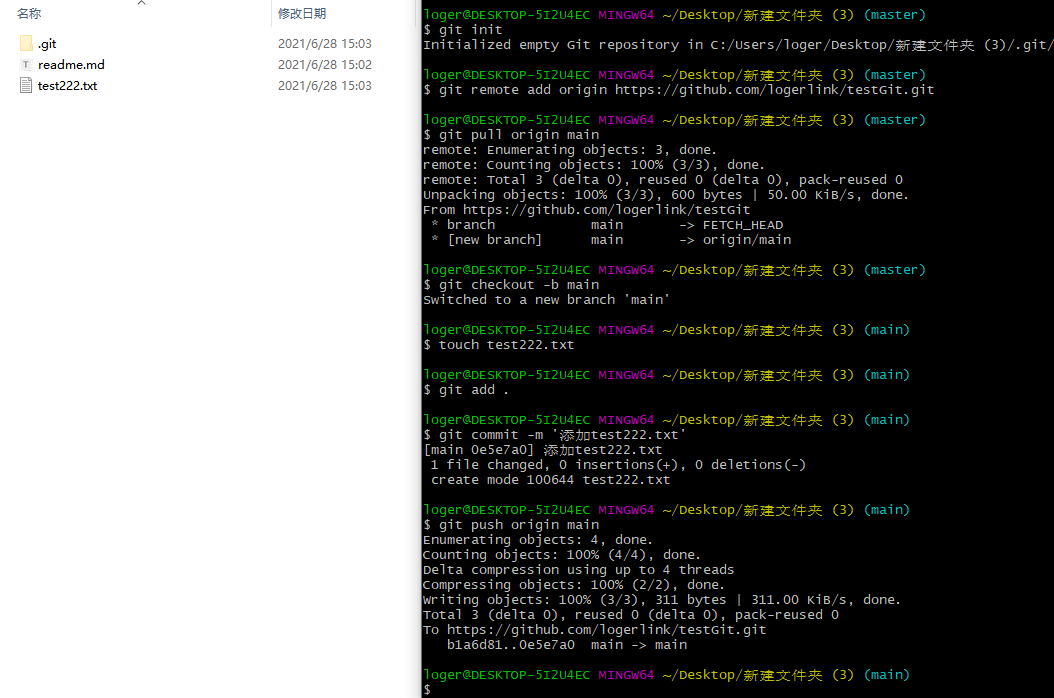
保存凭证信息
提交后,当我们再次更新提交时,发现还要我们输入账号密码,这样很不方便,我们先关掉账号密码输入框。执行以下命令
xxxxxxxxxxgit config --global credential.helper store# 推送到远程仓库git push origin main#在账号密码输入框输入账号密码#下一次再有更新提交时就不用输入账号密码了ssh验证
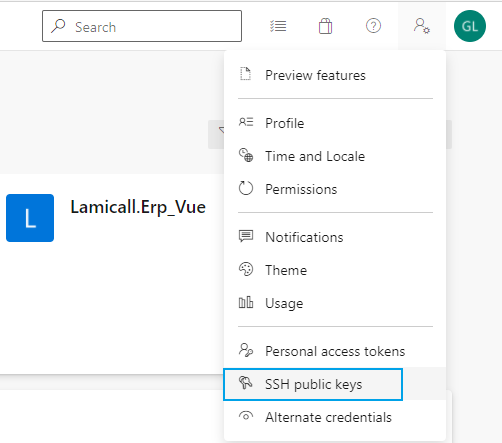
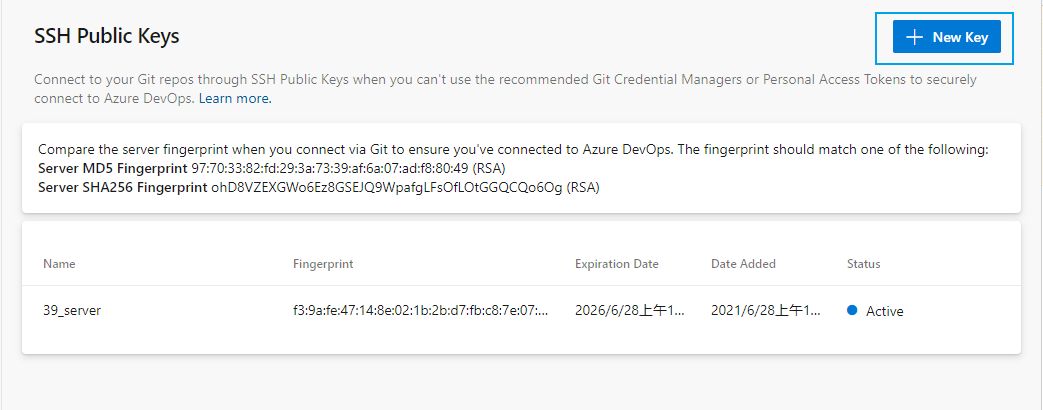
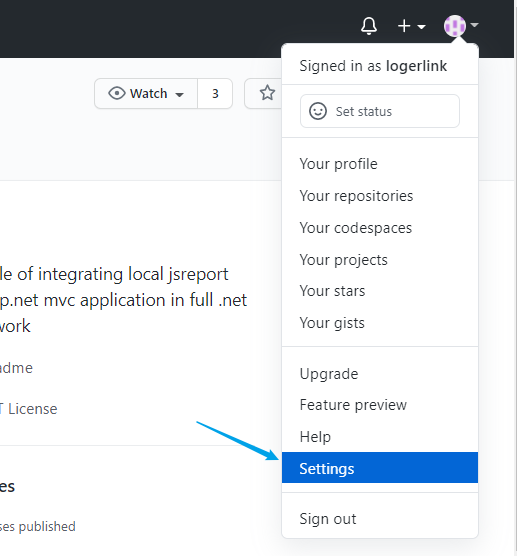
Github和Azure DevOps的使用除了配置那里不一样,其他都是一样的。所以下面的两个配置按照你的需求选其一即可
生成本地公钥密钥
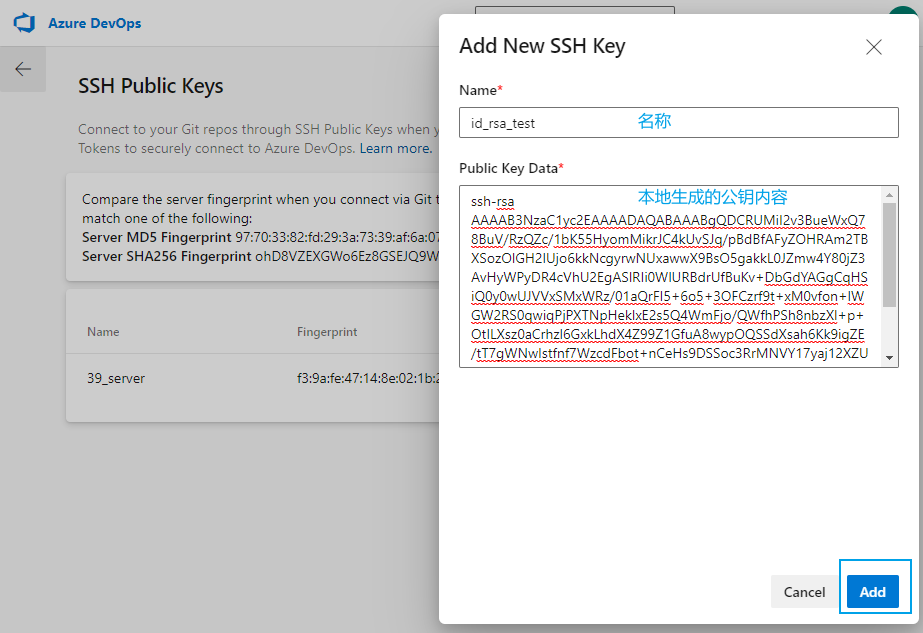
xxxxxxxxxx#打开git bash#切到用户下的.ssh目录下,没有该先创建。loger为当前用户名cd /c/Users/loger/.ssh#git bash执行 连按3次ssh-keygen -t rsa -C "logerxxx@outlook.com"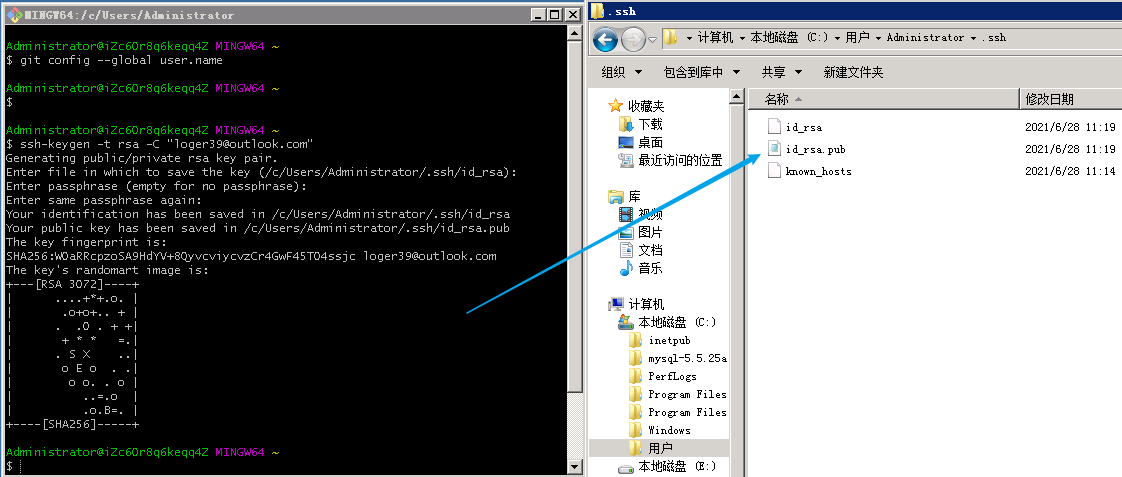
Azure DevOps的配置
Github的配置
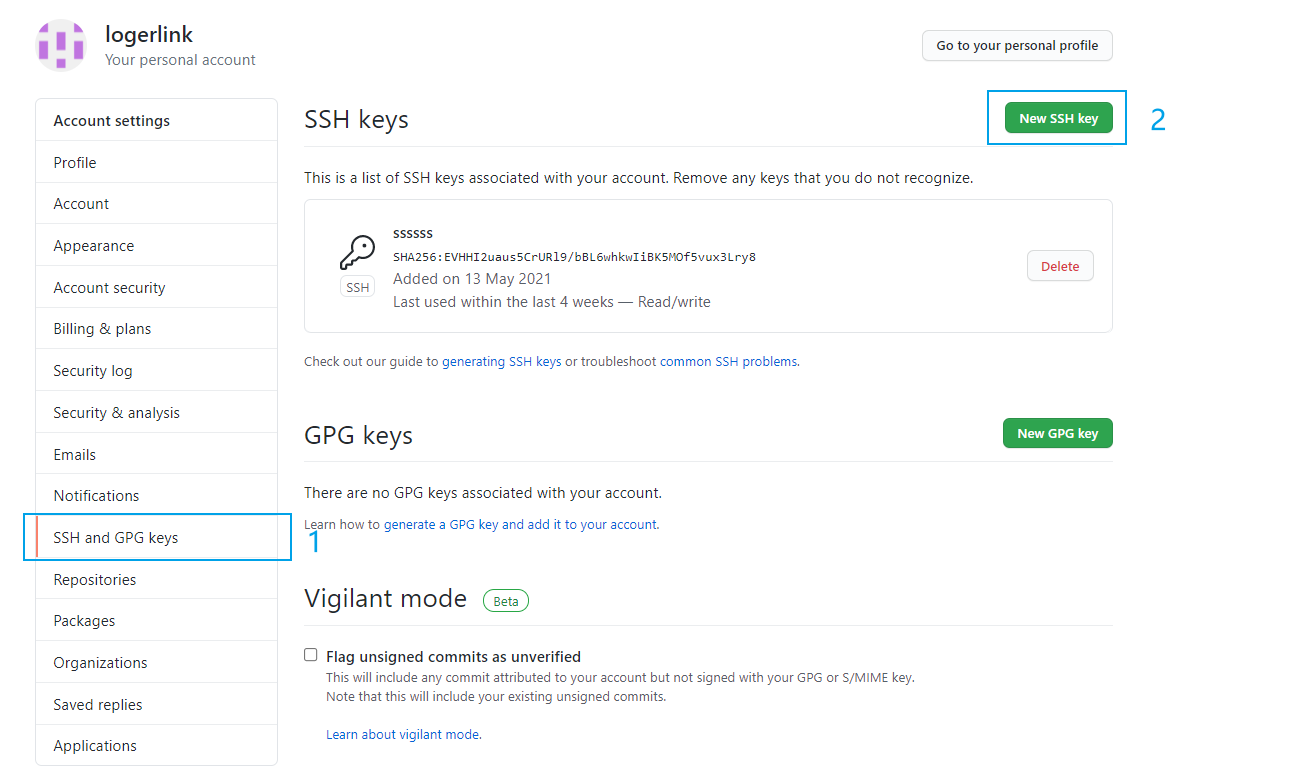
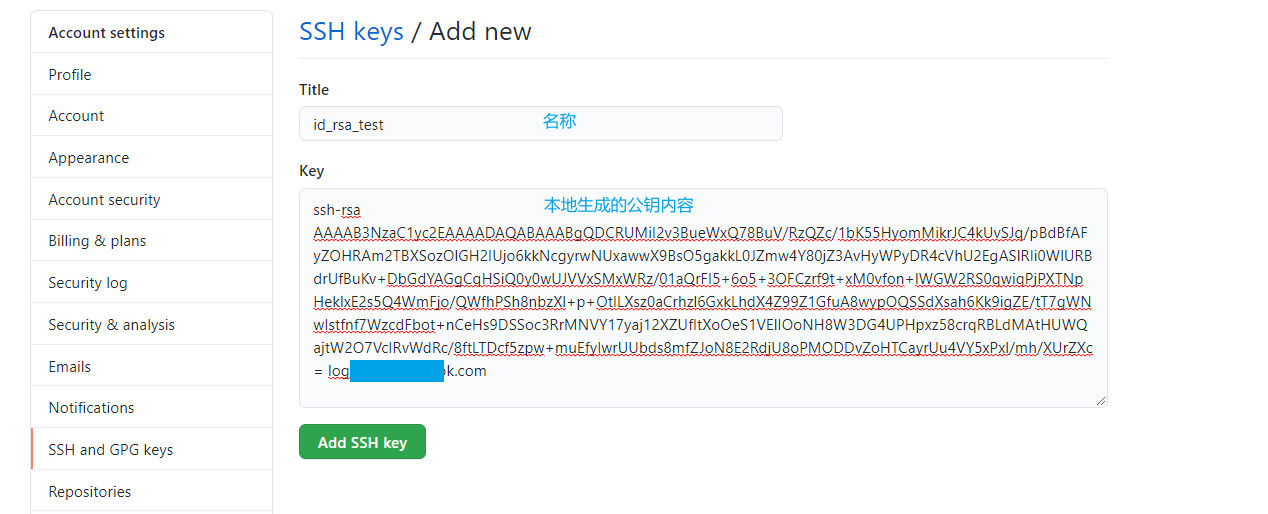
从远程仓库获取内容
以github为例,DevOps也是一样的
xxxxxxxxxx#新文件夹#初始化git环境git init#查看git的远程仓库信息 如果有可以先删除或更换名称git remote -v#添加git的远程仓库信息 origin为名字,随便起,不要重复就行git remote add origin git@github.com:jsreport/jsreport-dotnet-example-net-webapp.git#从仓库获取最新内容 第一次获取记得加 origin master 后续直接git pull即可git pull origin master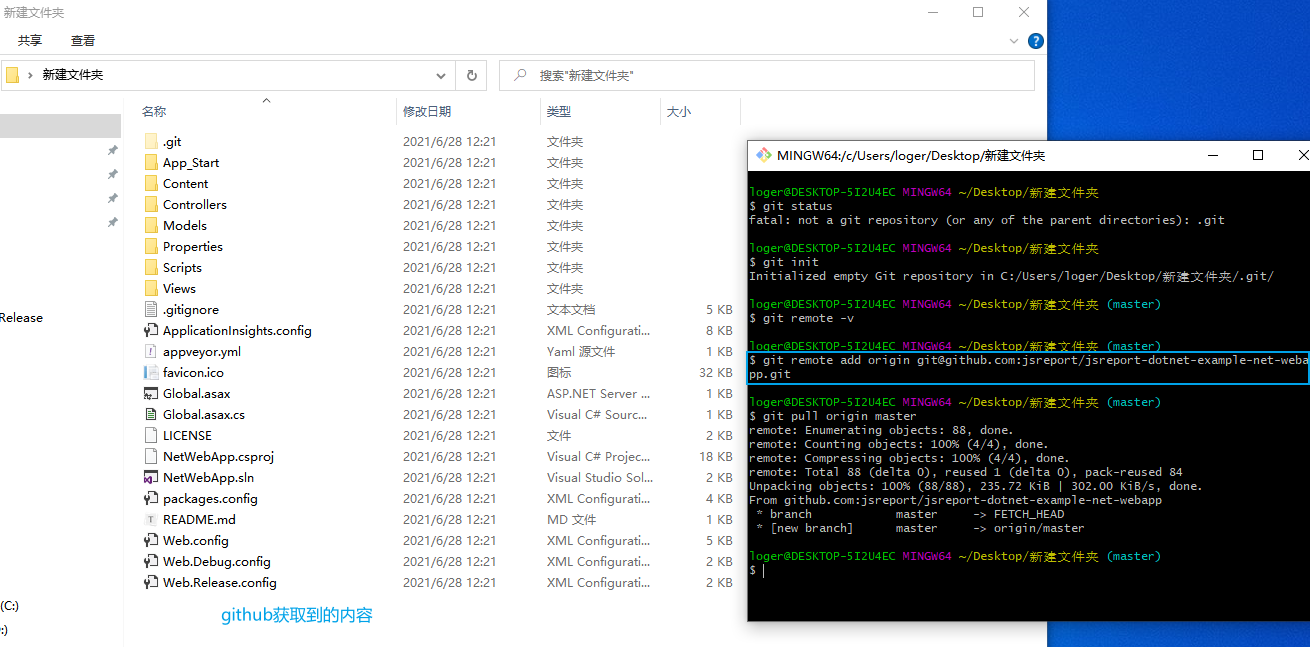
一些问题
fatal: couldn't find remote ref master
远程仓库没有master分支,现在github默认main为主分支,更换分支名称即可
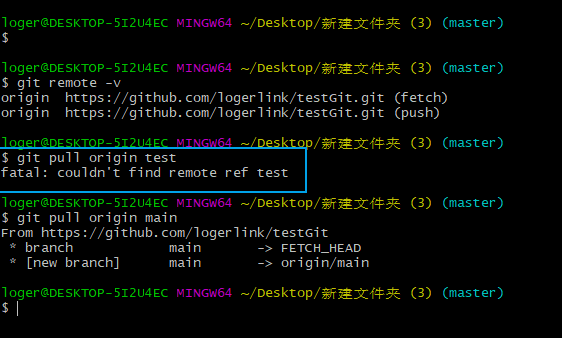
fatal: not a git repository (or any of the parent directories): .git
不是git 仓库,执行git init即可
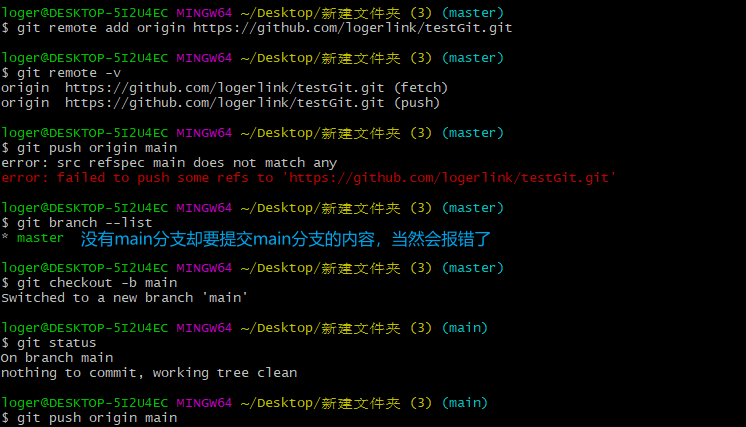
error: src refspec main does not match any
本地仓库没有main分支,建一个main分支即可。这种情况一般出现在github,现在github默认main为主分支,而git bash 执行git init初始化时,默认分支还是master
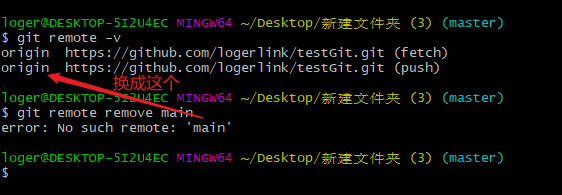
error: No such remote: 'main'
没有该远程名称
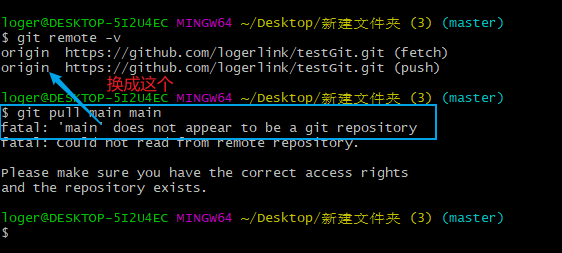
fatal: 'main' does not appear to be a git repository
没有该远程名称
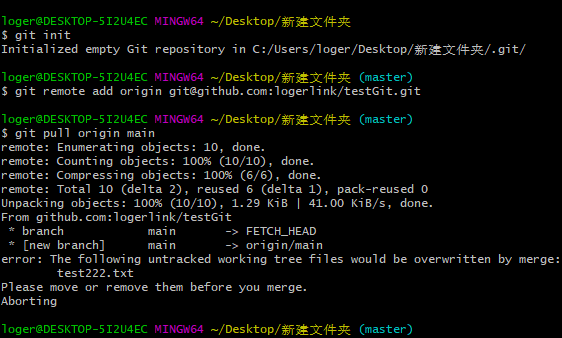
本地新仓库执行git pull后,Aborting错误
*error: The following untracked working tree files would be overwritten by merge
*Please move or remove them before you merge.
*error: Your local changes to the following files would be overwritten by merge:
*Please commit your changes or stash them before you merge.
本地仓库和远程仓库合并时存在冲突,通常是本地仓库和远程仓库存在同一个文件而导致的问题,如远程仓库中存在test.txt,本地也有test.txt,且这两份test.txt的文件内容不相同
方案一:先暂存(stash)本地,再拉取(pull)远程仓库的内容,然后取出(pop)暂存
xxxxxxxxxxgit stash#提示:You do not have the initial commit yet 方案一不可行,不要继续往下了,用方案二git pull origin main#unrelated histories报错则执行 git pull origin main --allow-unrelated-historiesgit statusgit stash pop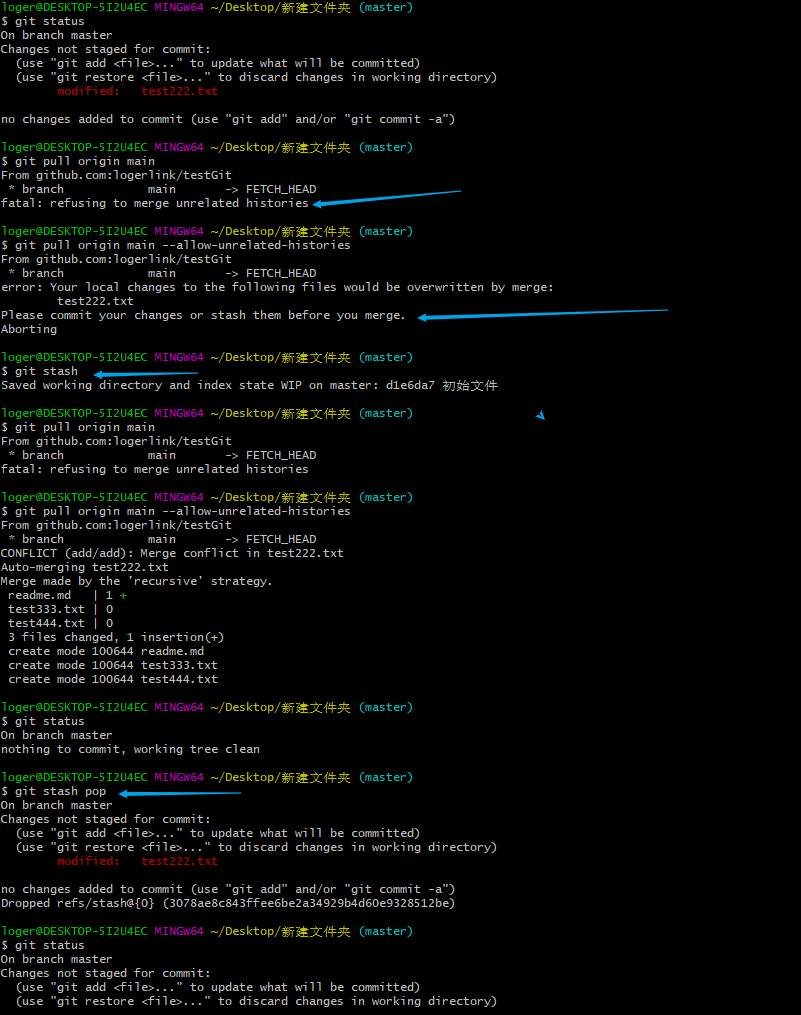
方案二:先提交(commit)本地,再拉取(pull)远程仓库的内容
xxxxxxxxxxgit add .git commit -m '初始文件'git pull origin main #unrelated histories报错则执行 git pull origin main --allow-unrelated-histories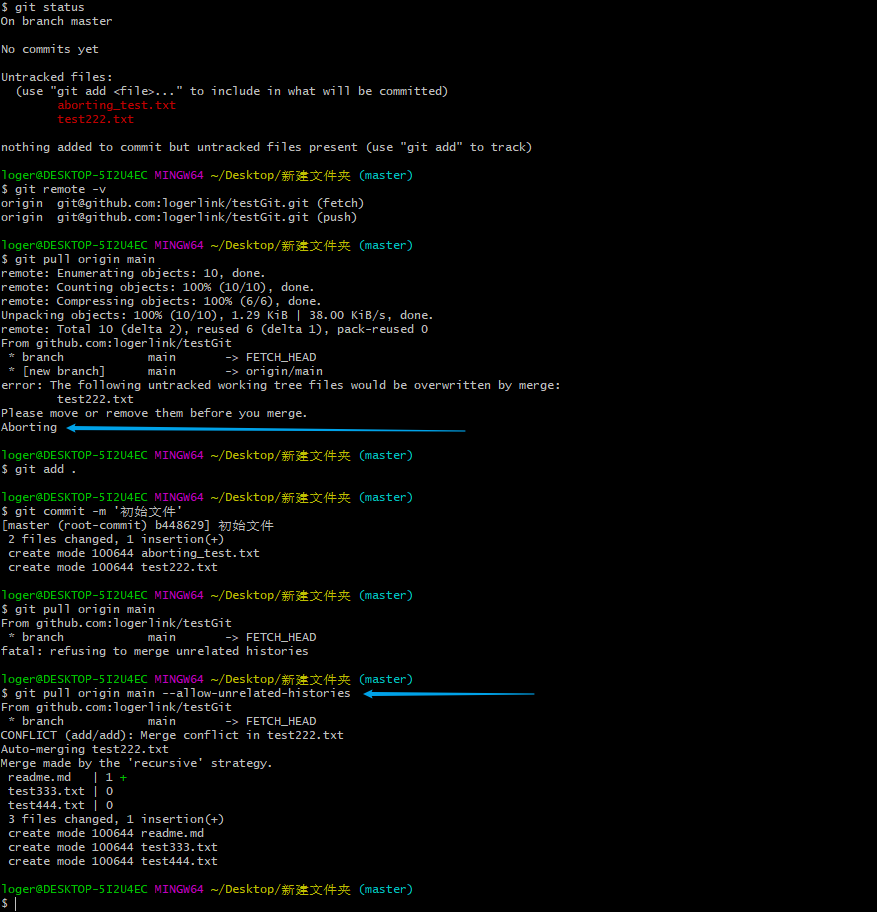
fatal: refusing to merge unrelated histories 拒绝合并无关的历史记录
xxxxxxxxxxgit pull origin main --allow-unrelated-histories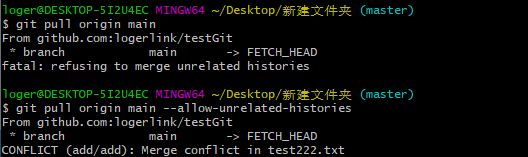
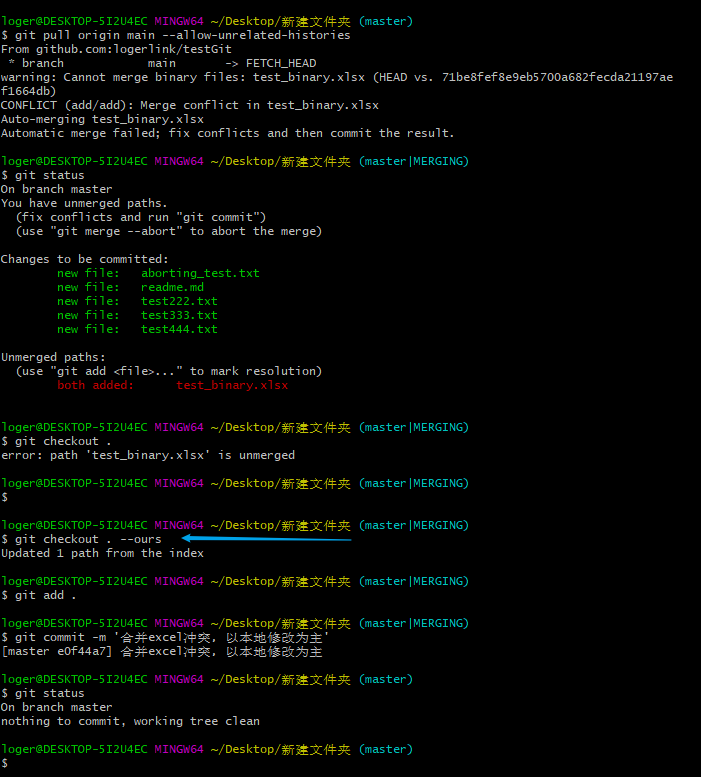
二进制文件冲突,如何合并?
Automatic merge failed; fix conflicts and then commit the result.
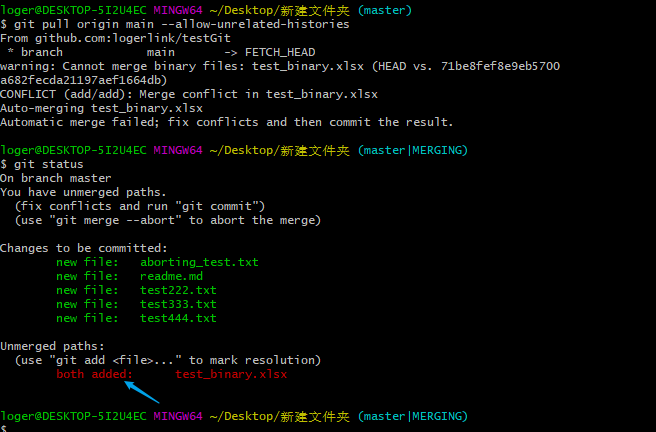
方案一:取消合并
xxxxxxxxxxgit merge --abort方案二:以某个分支为准,如A、B两个分支冲突,A为本地分支
xxxxxxxxxx#若以A(源分支)的修改为主则用--ours,若以B(目标分支)的修改为主则用 --theirs#.表示所有文件,此处也可以直接写文件名,类似与git add .中的.git checkout . --oursgit add .git commit -m '合并excel冲突,以本地修改为主'